How to Track Your Skateboarding Progress: Step-by-Step
This post contains affiliate links. As an Amazon Associate, we earn from qualifying purchases.
To track your skateboarding progress, you need a consistent method to record session stats and trick attempts. The three main approaches are automated hardware trackers like the Ollee Skate Tracker, manual logging apps like SkateLog or Shrednotes, and simple physical notebooks. Each method turns vague feelings of improvement into concrete data you can use to set better goals and identify weak spots.
That concrete data is the whole point. Without it, you’re guessing. Did you land more kickflips this month than last? Is your session endurance actually increasing? A number answers that. The right tracking method for you depends on whether you want technology to count for you or you prefer the conscious act of recording each win and miss, which is the core of how to track your skateboarding progress.
What follows: a breakdown of the three core methods, the specific stats each one captures, and how to turn those numbers into a plan that gets you past the next curb, stair set, or skill plateau.
Key Takeaways
- Pick a method and stick with it for a month, consistency in logging matters more than the tool’s sophistication.
- Weekly, bite-sized goals beat distant deadlines, aiming for “land 5 of 10 shove-its this week” works; “kickflip by summer” often leads to frustration.
- Review your logs before each session, looking at last week’s notes reminds you what to work on today, turning practice into deliberate progress.
- The simplest system you’ll actually use is the best one, a notes app on your phone can be more powerful than an unused premium app.
- Film yourself regularly, watching your footage back is the fastest way to spot technical flaws in your posture and foot placement.
The 3 Core Tracking Methods Compared
You have three proven paths. One uses a motion sensor stuck to your board. Another relies on you tapping a screen after every attempt. The third needs a pen and paper. Your skating style, budget, and personality decide which one fits.
The Technical Snippet: Ollee promotes fully automated tracking via a motion sensor, while SkateLog relies on user self-reporting and Shrednotes relies on manual entry with optional on-device learning. SkateLog relies on user self-reporting via a manual digital logbook, while Ollee promotes fully automated tracking and Shrednotes relies on manual entry with optional on-device learning. Academic research, such as a 2019 study published by Scientific Research Publishing, places similar inertial sensors on a skateboard and skater’s waist to analyze fundamental tricks like the Tic-Tac, identifying left-right swing as the key kinematic signal.
I spent a season trying to figure out how to track your skateboarding progress with just memory and good intentions. It failed. I’d swear I was getting better at pop shove-its, but I had no record of attempts versus lands. Writing down one small goal per week in a beat-up notebook changed that. Seeing “land 5 of 10” in ink made the progress visible, even when it felt slow.
The table below lays out the trade-offs. Your choice often comes down to how much you want technology involved.
| Method | Best For | Key Limitation | Sample Tools |
|---|---|---|---|
| Automated Hardware Tracker | Skaters who want hands-off data on ride time, session length, and trick counts without stopping to log. | Accuracy drops on rough terrain and for non-flatground tricks; requires a hardware purchase and charging. | Ollee Skate Tracker |
| Manual Logging App | Skaters who want structured digital records, community features, and detailed trick-by-trick progress tracking. | Relies on user discipline to log consistently; can feel like administrative work mid-session. | SkateLog, Shrednotes (Session), Steeze |
| Physical Notebook / Notes App | Beginners or skaters on a tight budget who value simplicity and a tactile connection to their progress. | No automated stats, community features, or data analysis; easiest to abandon if not made a ritual. | Any notebook, Apple Notes, Google Keep |
Automated Tracking: Letting the Sensor Do the Counting
The Ollee Skate Tracker represents this category. You stick the small pod to your deck, pair it via Bluetooth, and forget it. It uses a motion sensor to detect when you start riding, tallying session length, active ride time, and trick attempts. According to Ollee, the Ollee Skate Tracker battery lasts for about 18 hours of active ride time and it stores around 30 hours of session data locally.
What it captures: The device focuses on output metrics. It logs session length and active ride time, and detects trick attempts versus landed tricks. For it to count a landed trick, the Ollee Skate Tracker requires you to be moving while you pop and land, a design choice to prevent “gaming the system” by flicking the board stationary.
Where it struggles: The manufacturer is upfront about limits. Trick detection works best on smoother terrain, and trick type detection works best on flat ground style tricks. If your local spot is crusty asphalt or your focus is lip tricks on a ramp, the data may get fuzzy. There’s also a physical constraint: installing it without the included riser pads may cause wheel bite, which can lead to damage of the device.
The workflow: It’s the lowest-friction option. You just skate.
Manual Logging Apps: The Digital Skate Journal
Apps like SkateLog and Shrednotes (Session) take the opposite approach. Progress isn’t passively recorded; it’s consciously acknowledged after every attempt. You open the app post-session (or even mid-session) to log your spot, duration, crew, and, crucially, your trick attempts and lands.
What they capture: These apps track input and intention. SkateLog, for example, defines mastery of a trick as landing it 100 times and tracks regular, fakie, switch, and nollie as four separate progressions. It’s about building a detailed trick list. Shrednotes (Session) is designed for people looking to learn new tricks and improve their existing tricks, using on-device learning to recommend what to try next based on what you already land. It can also sync with Apple Health to read skateboard workout health data.
The key shift: This method turns tracking into a deliberate review. The act of tapping “attempt” and “land” forces you to pay attention to your success rate. Many skaters find this mindfulness alone improves their consistency. These apps often include social features, following your crew’s sessions, giving props, which can be a powerful motivator.
Making it work: The biggest hurdle is building the habit. Set a reminder to log as soon as you step off your board. The reward is a searchable, visual history of your improvement that no automated tracker can match for detail.
The Analog System: Notebooks and Spreadsheets
Don’t underestimate a notebook. For a beginner, the act of physically writing “Session: 45 mins, School parking lot. Ollie attempts: 20, Lands: 2” after a skate does something an app can’t. It creates a tangible ritual. This method is free, completely private, and infinitely customizable.
How to structure it: Dedicate a page per week. At the top, write one specific goal. Below, make a simple table:
- Date / Spot / Duration
- Focus (e.g., “ollie consistency”)
- Notes / Wins / What felt off
Why it’s powerful: There are no notifications, no battery life, and no learning curve. It’s just you and your progress. The limitation is the lack of automatic calculation or historical analysis, you have to do that yourself. But for many, that’s a feature, not a bug. It’s a focused, distraction-free way to set and track goals.
What Exactly Should You Track?
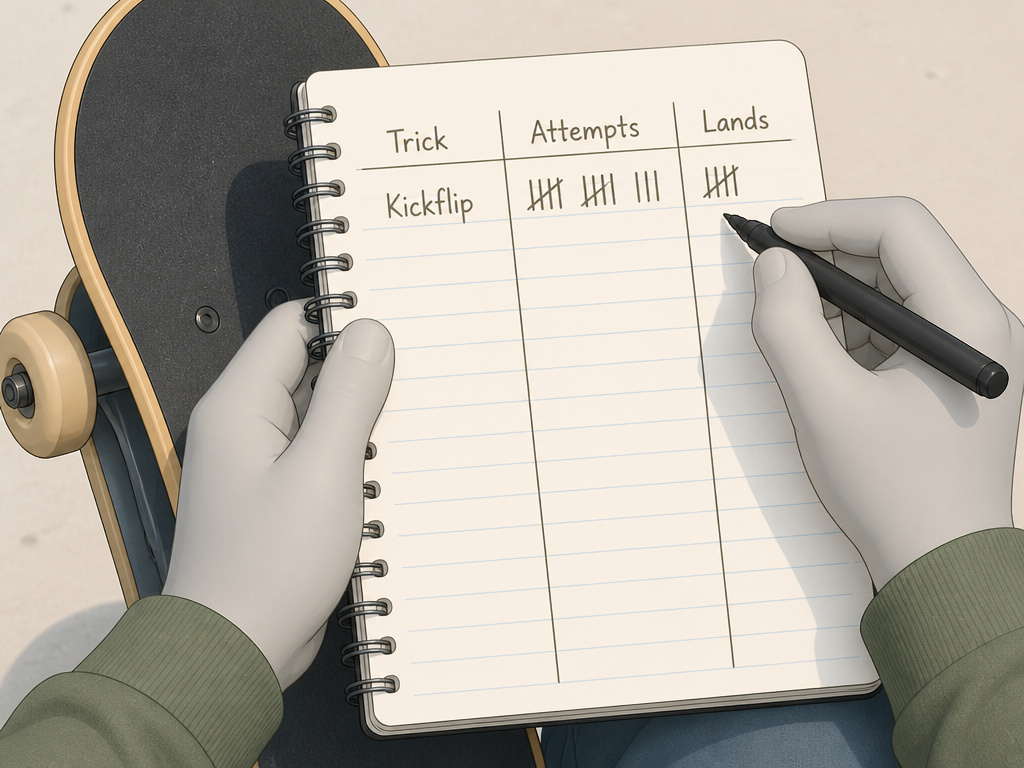
Now you’ve picked a method. What data do you put in it? Tracking everything is overwhelming; tracking nothing is useless. Focus on a small set of metrics that directly relate to your current skating goals.
For absolute beginners (first 1-2 months):
- Session Duration: How long did you skate? (Aim for consistency, not length).
- Comfort Metrics: Can you push, turn, and stop confidently? Note improvements in balance and control.
- One Fundamental Goal: “Today I will tic-tac the length of the parking lot without putting a foot down.”
For skaters building a trick list:
- Trick-Specific Stats: For the 1-2 tricks you’re currently learning, record Attempts vs. Lands every session. This ratio is your most important number.
- Session Feel: Were you confident? Tired? Frustrated? A one-word mood note can reveal patterns.
- Line Attempts: Start linking tricks. Note if you successfully strung an ollie into a 180, even if it was sloppy.
For experienced skaters refining skills:
- Stance Progression: As noted by SkateLog, track your makes separately for regular, fakie, switch, and nollie. Your weak stance is your biggest opportunity.
- Spot Consistency: How many times did you land a trick at a specific spot? Consistency under pressure is a high-level skill.
- Video Analysis Notes: Link your tracking to clips. Note the technical flaw you’re working on (“keep shoulders square”).
Common mistake: Only tracking lands. If you land a kickflip once in 50 tries, that’s luck, not progress. The attempts number tells the real story of your consistency.
How to Use Data to Break a Plateau

Collecting numbers is pointless if you don’t use them, which is the central challenge of how to track your skateboarding progress. Your log is a diagnostic tool. When progress stalls, and it will, your data shows you why.
Spot the pattern. Look at your logs from the last month. Is your land rate for a specific trick flatlining or dropping? Are your sessions getting shorter? This is the evidence. A plateau isn’t a feeling; it’s a measurable stagnation.
Isolate the variable. If your heelflip land rate is stuck at 10%, what’s changing? Your foot placement? Your pop? Your commitment? Go back to filming yourself and compare today’s footage to a session from a month ago. This is where learning to analyze your footage becomes an essential skill. The visual feedback often pinpoints the flaw the numbers only hint at.
Change one thing. Based on your analysis, pick a single, tiny technical adjustment. “Today, I will focus on flicking my front foot more toward the nose.” Don’t try to fix your pop, your flick, and your shoulder turn all at once. Record your attempts and lands for that session focusing solely on that micro-adjustment. This targeted, deliberate practice is how you accelerate your progress.
The reset week. Sometimes the data says you’re just fried. If your logs show declining session duration and a sour mood note for two weeks straight, you’re overtrained. The data-driven response isn’t to push harder; it’s to schedule a recovery week of casual, no-pressure cruising. You’ll return stronger. This strategic rest is a key part of learning to break through plateaus.
Setting Goals That Actually Work
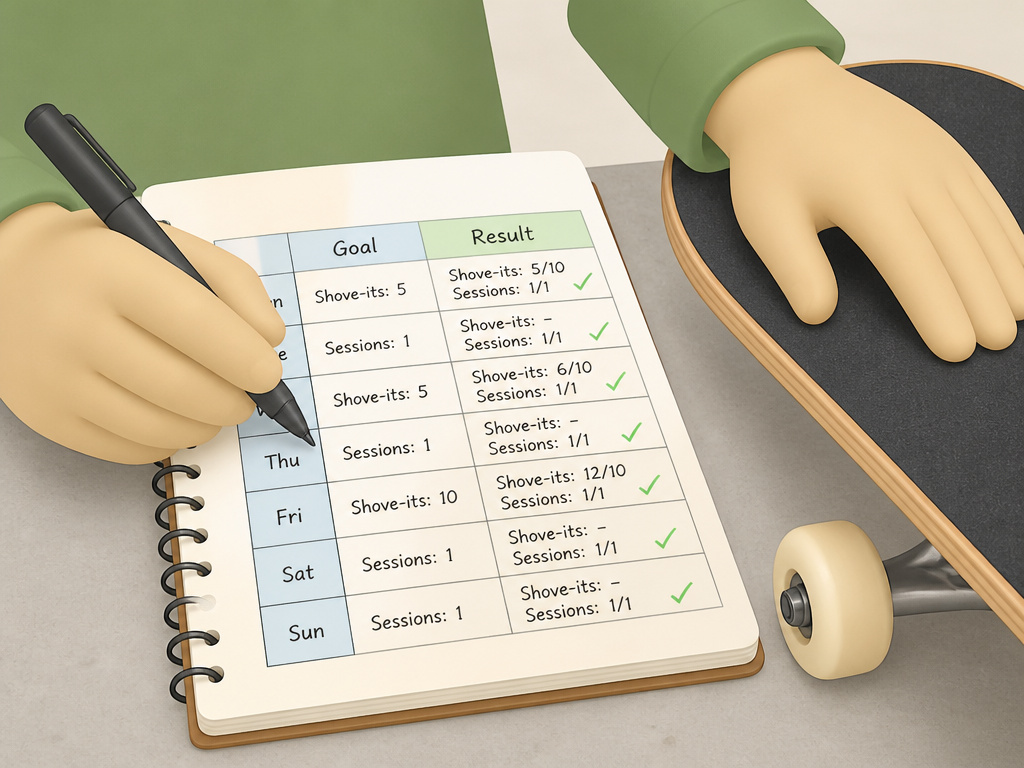
“Get better” is not a goal. “Land a kickflip” is a better goal, but it’s still vague. Your tracking system needs goals it can measure.
Use weekly cycles. A monthly or seasonal target is too distant to guide daily practice. I used to set deadline goals like “kickflip by my birthday.” They just made me grumpy and sloppy when I missed. A weekly goal like “land 5 of 10 shove-its” is less exciting, but I actually hit it. The feedback loop is tight, and you get a win every seven days.
Make it binary or numeric. A goal should be a clear yes/no or a number you can hit.
- Bad: “Practice ollies more.”
- Good: “Ollie over a parking line 10 times in a row.”
- Good: “Log three 1-hour sessions this week.”
Tie goals to your logs. Your goal for next week should come directly from last week’s data. If you landed 2/20 kickflips, next week’s goal isn’t “land a kickflip down a stair.” It’s “increase my kickflip land rate to 3/20.” Small, incremental wins build real skill. This approach is the heart of effective skateboarding practice.
Safety and Privacy: The Unwritten Rules

Tracking is great until it makes you do something stupid. A leaderboard shouldn’t push you to skate injured. An app’s location tag shouldn’t broadcast your secret spot to the world.
Don’t skate for the stats. If you’re exhausted but you need “just ten more minutes” to hit your ride-time goal, stop. The tracker works for you, not the other way around. The same goes for chasing a trick because your app says you’re “close to mastery.” Listen to your body first.
Guard your spot data. Be cautious with apps that map your sessions. Publishing your favorite DIY spot on a public map can lead to it getting torn down. Use private modes or vague location tagging.
Understand the tech’s limits. Remember, the Ollee Skate Tracker requires you to be moving to count a trick. If you’re trying a new trick stationary on grass to get the motion, it won’t log it. That’s fine, the sensor’s rule shouldn’t dictate your safe learning process. Similarly, the ACM digital library study on recording body movement in skateboarding highlights the complexity of capturing nuanced motion, a reminder that consumer tech simplifies a complex physical reality.
Building the Habit of Consistency

The fanciest tracker is worthless if you don’t use it. The goal is to make logging as automatic as lacing your shoes.
Anchor it to an existing habit. Log your session while you’re still at the spot, right after you take your helmet off. Or do it on the car ride home. Pairing the new habit with an unbreakable old one makes it stick.
Start small. Don’t try to log fifteen data points on day one. For the first week, just record your session time and one thing that went well. The following week, add your trick attempts. This gradual build is how you build consistency with any new practice.
Embrace the imperfect log. Missed a session? Forgot to log? Don’t quit. Just pick it up again next time. A tracking system with gaps is still infinitely more useful than no system at all. The point is long-term trend, not perfect daily compliance.
How to track skateboard gear and maintenance
If you use a motion sensor, its care becomes part of your routine. A full charge powers about 18 hours of active ride time, and it can store around 30 hours of session data locally before syncing. To avoid false recordings during transport, store your board with its wheels facing up. Always install the sensor with its included hardware to prevent wheel contact, which can damage the unit. For manual tracking apps, your gear log is simpler. Note when you last changed your deck or swapped bearings. The goal is the same: a reliable setup means consistent data, whether that data comes from a sensor counting your tricks or from your own notes on what needs a tune-up.
Frequently Asked Questions
Is it worth buying a hardware tracker like Ollee?
It depends on your skating and your personality. If you skate long distances, love granular stats like ride time, and hate stopping to use your phone, it’s a solid investment. If your progression is heavily trick-focused on ledges or ramps, or you’re on a tight budget, a manual app will give you more relevant, detailed data for less money.
How do I track progress on basic skills like pushing and turning?
Advanced apps often overlook this, but it’s critical. Use a simple notes app or notebook. Set a stopwatch and count how many pushes you take over a set distance or time. Next week, try to reduce that number for the same distance, indicating more efficient pushes. For turning, note the tightest circle you can comfortably carve without putting a foot down. Measure its diameter week-to-week. This foundational tracking ensures you build a stable platform for tricks.
Can tracking my progress actually make me a better skater faster?
Yes, but not magically. Tracking alone does nothing. It’s the analysis and deliberate practice that the tracking informs that speeds up progress. Seeing a low land rate forces you to diagnose the problem. Noticing your sessions are shorter in the afternoons might mean you skate better in the morning. Data removes guesswork, letting you focus your energy where it will have the most impact, which is a core principle of a logical progression for learning tricks.
I’m overwhelmed. What’s the absolute simplest way to start?
Get a small notebook. At the top of a fresh page, write this week’s date and one tiny goal: “Ollie over a crack 5 times.” Go skate. When you’re done, write the date, how long you skated, and whether you hit your goal. That’s it. Do that for four weeks. You’ll have a clearer picture of your progress than 90% of skaters, and you can decide if you need more complexity from there.
Are there privacy concerns with skate tracking apps?
Potentially, yes. Check the app’s permissions. Does it need constant location access, or only while in use? Does it share your data with third parties or advertisers? Read the privacy policy. For maximum privacy, a physical notebook or a notes app on your phone with no cloud sync is the most secure option. Your progression data is personal; treat it that way.
Before You Go
Pick one system from the three, hardware, app, or notebook, and run it for your next four sessions. Don’t switch. Don’t overcomplicate it. The goal isn’t to have perfect data; it’s to have some data. After those sessions, look back. You’ll see patterns you would have missed, and you’ll have a real answer to the question “am I getting better?”
Then, use that answer to plan session five. That’s the loop: record, review, adjust. It’s less about the tech and more about the habit of paying attention. Your next trick starts with looking at what you did last time.
